Sales target is a feature is available in the Essential & HRM module
Sales target helps businesses to give target-based incentives/commissions to their employees or staff.
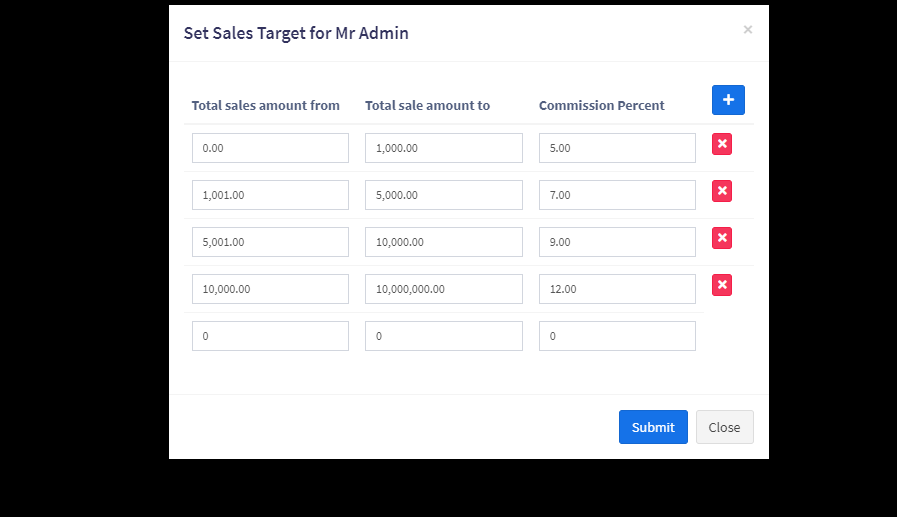
Using this business can define a different range or slab-based incentives.
For example:
This helps businesses to boost sales because employees or salespeople work hard to achieve a much higher percentage of commission.
NOTE: Before setting the sales target, make sure to configure the Sales Commission Agent settings in Business Settings > Sales. Follow the steps mentioned in this document -> DocumentLink
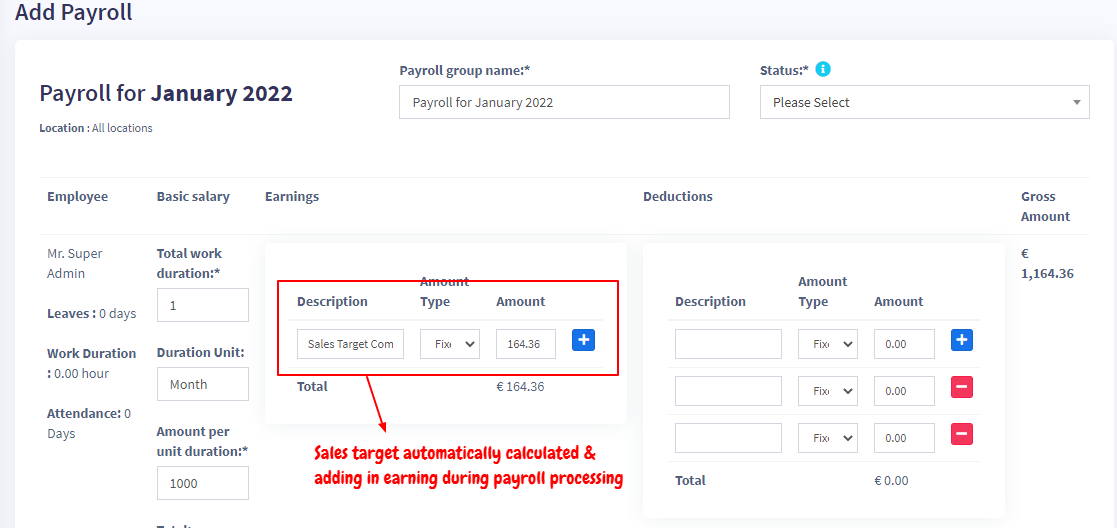
To pay commission to employees for sales targets, you need to process the payroll.
In payroll processing, it will have a separate column for sales target commission. Check the screenshot below:
By default sales target will get calculated on amount including tax. To calculate it without tax go to HRM -> Settings -> Sales Target

