Manage modules helps you to Install, Uninstall, Delete, & update modules. You will also find recommendations for any new modules available.
Only superadmin users can manage(Install/Uninstall/Update/Delete) modules. So first make a user a superadmin by following the steps given below:
NOTE: user1 mentioned here is for example only and the username is case sensitive.
Before starting: Make sure you have followed the pre-conditions as given above.
NOTE: If it displays some error then you can unzip the module zip file and place it directly inside the Modules folder (pos/Modules folder)
NOTE: If it shows an ‘invalid license’ error double-check the username provided by you.
Before starting: Make sure you have followed the pre-conditions as given above.
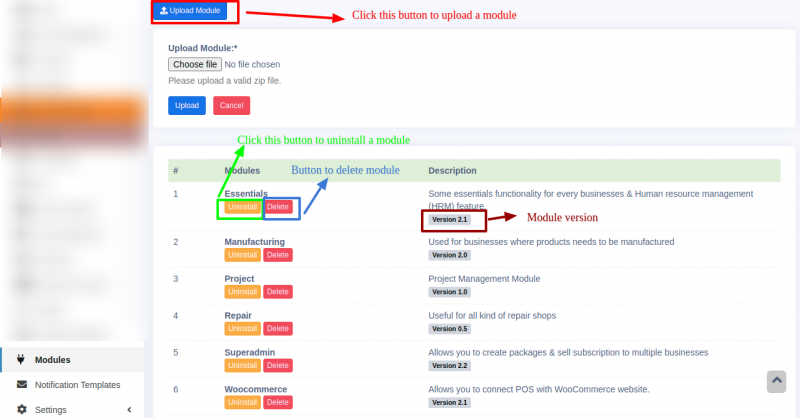
Click on the relevant button to delete or uninstall the module.
Check the screenshot below for the details.
Sometimes you may install the module but it will not appear in some businesses.
This happens because the corresponding module will not be enabled in the package subscribed by that business. You should enable the module in the required package.
The module option will only be displayed for users logged in as super-admin.
If you are logged in as any other user, the module menu will not be displayed.
Follow the steps below to rectify it

